# Pembelian Pulsa Elektrik

1. Login pada Aplikasi Holigo kemudian klik menu **"Pulsa**"

<figure><img src="/files/JaIec46nK4DTe6H8N0vf" alt="" width="313"><figcaption></figcaption></figure>

2. Masukkan nomor handphone yang ingin kamu isi

<figure><img src="/files/EPV8f00IYPZVFHM14HvJ" alt="" width="343"><figcaption></figcaption></figure>

3. Pilih nominal pulsa

<figure><img src="/files/lHRxF3sqvwt3gmJ6OXe4" alt="" width="350"><figcaption></figcaption></figure>

4. Pastikan nomor handphone sudah benar dan klik bayar sekarang

<figure><img src="/files/MYJATDcrBkHXlj3EjqKo" alt="" width="326"><figcaption></figcaption></figure>

5. Pilih metode pembayaran yang kamu inginkan kemudian klik "**Bayar dengan**.."

<figure><img src="/files/w57G1bMUMV3vBrjyTIki" alt="" width="299"><figcaption></figcaption></figure>

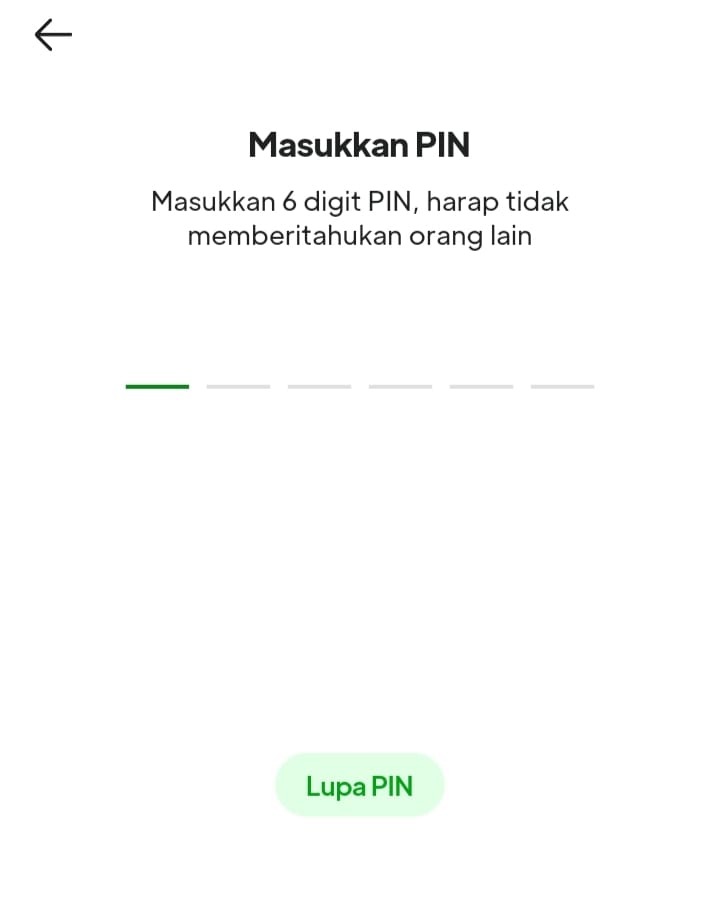
6. Pembayaran menggunakan saldo mitra maka aplikasi akan meminta pin transaksi yang sudah kamu buat saat awal registrasi.

<figure><img src="/files/8p1HXC6aATwHhCgKU5Q6" alt="" width="360"><figcaption></figcaption></figure>

7. Akan muncul informasi bahwa pembayaran pulsa melalui saldo mitra sudah berhasil, tunggu 3-10 menit akan terproses oleh sistem, klik "**Lihat daftar transaksi**" untuk melihat status transaksi.

<figure><img src="/files/74tkoSSso9ocZAgXTeC9" alt="" width="375"><figcaption></figcaption></figure>

8. Jika status **"Transaksi selesai"** artinya transaksi kamu sudah berhasil dan pulsa akan otomatis masuk ke nomor yang kamu isi.

<figure><img src="/files/CbSsSByK6ta3CQYHrX1R" alt="" width="375"><figcaption></figcaption></figure>


---

# Agent Instructions: Querying This Documentation

If you need additional information that is not directly available in this page, you can query the documentation dynamically by asking a question.

Perform an HTTP GET request on the current page URL with the `ask` query parameter:

```
GET https://faq.holigo.id/pulsa-elektrik/pembelian-pulsa-elektrik.md?ask=<question>
```

The question should be specific, self-contained, and written in natural language.
The response will contain a direct answer to the question and relevant excerpts and sources from the documentation.

Use this mechanism when the answer is not explicitly present in the current page, you need clarification or additional context, or you want to retrieve related documentation sections.